

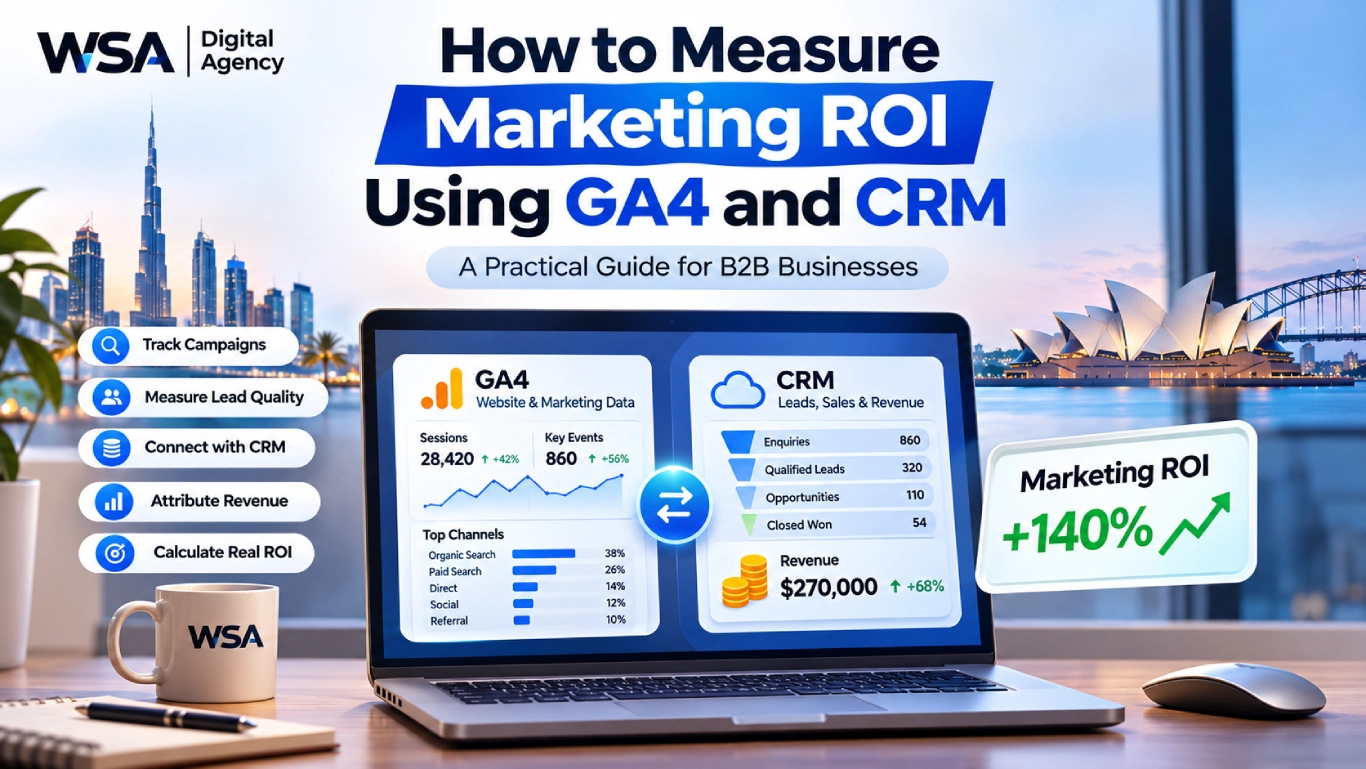
Marketing has become more measurable than ever, yet many businesses still struggle to answer one important question : How much revenue is actually generated by their digital marketing investment?
A Google Ads campaign may generate hundreds of clicks. SEO may increase organic traffic. Meta Ads may bring dozens of enquiries. But these numbers do not automatically tell you whether your marketing is profitable.
The real challenge is connecting marketing activity with actual business outcomes.
For example, a visitor may discover your business through Google Search, return through a Facebook advertisement, submit an enquiry, speak with your sales team and eventually become a paying customer. Without connecting your website analytics with your Customer Relationship Management (CRM) system, understanding this complete journey becomes difficult.
This is where Google Analytics 4 (GA4) and CRM integration become essential.
By connecting website behaviour, marketing campaigns, lead qualification, sales opportunities and actual revenue, businesses can build a more reliable marketing measurement system.
In this guide, we will explain how to measure marketing ROI using GA4 and CRM, which metrics matter, how attribution works, and how B2B businesses can build a revenue-focused reporting framework.
What Is Marketing ROI and Why Does It Matter?
Marketing Return on Investment (ROI) measures the financial return generated from marketing activities compared with the investment made to achieve those results.
It helps businesses understand whether their marketing expenditure is contributing to profitable growth.
The basic formula is :
Marketing ROI = (Marketing-attributed profit − Marketing investment) ÷ Marketing investment × 100
For example, suppose a business invests $10,000 in marketing and generates $25,000 in attributable gross profit.
Its marketing ROI would be :
($25,000 − $10,000) ÷ $10,000 × 100 = 150%
This means the business generated $1.50 in profit above its marketing investment for every $1 invested.
However, there is an important distinction between revenue, profit and advertising return.
| Metric | What It Measures |
|---|---|
| ROI | Profitability relative to investment |
| ROAS | Revenue generated relative to advertising spend |
| CAC | Average cost of acquiring one customer |
| CPL | Cost of generating one lead |
| Cost per Qualified Lead | Marketing expenditure per sales-accepted lead |
| LTV | Expected customer lifetime value |
A campaign can generate an impressive ROAS while producing relatively low profit.
For this reason, B2B businesses should evaluate both advertising performance and the wider economics of customer acquisition.
Why GA4 Alone Cannot Tell the Complete Marketing ROI Story
Google Analytics 4 provides valuable information about how visitors discover and interact with your website.
It can help businesses understand :
- Which channels bring website visitors.
- Which campaigns generate enquiries.
- Which landing pages receive engagement.
- Which website actions lead to important conversions.
- How visitors move between different marketing touchpoints.
However, website analytics do not automatically provide the complete picture of what happens after a visitor becomes a lead.
Consider this example :
A business receives 100 enquiries from its digital marketing campaigns.
GA4 records the relevant website interactions and form submissions. However, the sales team later discovers that :
- 30 enquiries are outside the target service area.
- 25 are looking for services the business does not provide.
- 20 are not ready to purchase.
- 15 are qualified sales opportunities.
- 10 eventually become paying customers.
Looking only at the initial 100 enquiries does not tell management which marketing activities generated valuable customers.
GA4 measures website and marketing interactions. CRM measures the progression of leads through the sales process.
When these systems are connected correctly, businesses can evaluate the relationship between marketing activity and commercial outcomes.
Understanding the Role of GA4 and CRM
Before implementing an integrated measurement system, it is important to understand what each platform is responsible for.
1. Google Analytics 4: Understanding Marketing Performance
GA4 helps businesses analyse website activity and customer journeys.
Important measurement areas include :
Traffic Acquisition
Identify whether visitors arrive through organic search, paid search, social media, referral traffic, email or direct visits.
Campaign Performance
Understand how individual marketing campaigns contribute to website engagement and important user actions.
Landing Page Performance
Identify which landing pages attract potential customers and encourage meaningful interactions.
Key Events
Measure important website activities such as :
- Successful enquiry submissions.
- Consultation booking requests.
- Product purchases.
- Demo requests.
- Important form completions.
GA4 currently distinguishes key events from conversions. Key events measure important user actions in Analytics, while conversions are used for campaign measurement and advertising optimisation across Google Analytics and Google Ads.
Businesses should configure these events carefully rather than treating every website click as a valuable conversion.
2. CRM: Understanding Lead Quality and Revenue
A CRM system stores and manages customer relationships throughout the sales process.
Examples include HubSpot, Salesforce, Zoho CRM and other business CRM platforms.
A properly configured CRM should record :
- Lead creation date.
- Lead source and campaign.
- First-touch and latest-touch information.
- Enquiry category.
- Lead qualification status.
- Sales representative.
- Opportunity value.
- Sales pipeline stage.
- Deal closing date.
- Actual revenue generated.
This information helps management determine whether marketing is generating genuine business opportunities or simply increasing enquiry volume.
3. Why Both Systems Must Work Together
The real value comes from connecting website analytics with CRM sales information.
| Business Question | GA4 | CRM |
|---|---|---|
| Where did visitors come from? | Yes | Captured through integration |
| Which pages attract visitors? | Yes | Limited |
| Which campaign generated an enquiry? | Yes, subject to measurement | Yes, when source data is captured |
| Was the lead qualified? | Not reliably by itself | Yes |
| Did the lead become an opportunity? | Not reliably by itself | Yes |
| What revenue was generated? | Ecommerce and configured revenue events | Sales system of record |
| Which campaigns attract valuable customers? | Requires CRM integration | Yes, through campaign-linked records |
The objective is to create one measurement framework connecting both platforms.
How to Measure Marketing ROI Using GA4 and CRM: Step-by-Step Framework
Building a reliable ROI measurement system requires more than installing a tracking code.
The following framework connects marketing data with the actual sales process.
Step 1: Establish a Clear Marketing Measurement Strategy
Before configuring GA4 or integrating a CRM, identify what the business wants to measure.
A service-based B2B company might have the following objectives :
- Generate qualified enquiries.
- Increase booked consultations.
- Improve lead-to-customer conversion rates.
- Reduce customer acquisition costs.
- Increase sales pipeline value.
- Improve marketing profitability.
Each objective should have a corresponding measurable event or CRM stage.
For example :
| Business Objective | Measurement |
|---|---|
| Generate enquiries | Successful lead submissions |
| Generate qualified leads | Sales-qualified leads |
| Book consultations | Confirmed consultation bookings |
| Generate opportunities | Qualified sales opportunities |
| Increase sales | Closed-won deals |
| Improve profitability | Marketing ROI |
This prevents businesses from optimising campaigns around metrics that do not support their commercial objectives.
Step 2: Configure GA4 Event and Key Event Tracking
The next step is to configure GA4 to record meaningful interactions.
Google Tag Manager (GTM) can help manage website tracking without manually adding every tracking tag to individual pages.
For a B2B website, consider the following event structure:
| Event Name | Purpose |
|---|---|
| generate_lead | Successful enquiry submission |
| form_start | User begins filling out a form |
| form_submit | Form submission interaction |
| phone_click | Visitor clicks a phone link |
| whatsapp_click | Visitor clicks a WhatsApp link |
| book_consultation | Consultation booking completed |
| request_quote | Quote request completed |
| download_resource | Important resource downloaded |
Not every event should automatically become a key event.
For example, form_start and general phone-link clicks indicate interest, but they do not necessarily represent a completed business enquiry.
Use successful submission or booking confirmations as stronger conversion signals.
Important tracking recommendation: Track completed outcomes rather than simply recording button clicks. A click on a submit button does not guarantee that the form was successfully delivered to your business.
For more advanced implementations, use server-side event validation and appropriate duplicate-event controls.
Step 3: Implement UTM Tracking Across Marketing Channels
One of the most common problems in digital marketing reporting is inconsistent campaign attribution.
For example, a business may run:
- Google Search Ads.
- Facebook and Instagram campaigns.
- LinkedIn advertising.
- Email marketing.
- Influencer campaigns.
- Organic SEO campaigns.
Without consistent tracking parameters, identifying the origin of website traffic and enquiries can become difficult.
UTM parameters provide a structured way to identify campaign traffic.
Example URL:
https://example.com/services/?utm_source=google&utm_medium=cpc&utm_campaign=uae_b2b_lead_generation
Important UTM parameters include:
| Parameter | Purpose |
|---|---|
| utm_source | Traffic source |
| utm_medium | Marketing channel type |
| utm_campaign | Campaign name |
| utm_content | Creative or variation |
| utm_term | Paid keyword or targeting term |
Create a naming convention and apply it consistently across campaigns.
For example:
- google / cpc / dubai_seo_campaign
- facebook / paid_social / b2b_lead_generation
- linkedin / paid_social / enterprise_marketing
- newsletter / email / november_2026
Do not overwrite a lead's original acquisition information whenever they return to your website. Preserve first-touch attribution alongside lead-creation and latest-touch information.
Also retain available advertising click identifiers, such as GCLID, GBRAID and WBRAID, where applicable and permitted.
Step 4: Connect GA4 Website Data With Your CRM
This is one of the most important parts of the entire measurement process.
When a visitor submits an enquiry, the system should capture relevant marketing information and associate it with the corresponding CRM lead record.
A typical data structure can include:
Website and Analytics Data
- GA4 client identifier.
- Session information where available.
- Landing page URL.
- First-touch source.
- First-touch medium.
- Campaign name.
- Latest-touch source.
- Advertising click identifiers where available.
- Enquiry timestamp.
CRM Data
- Unique lead ID.
- Customer category.
- Lead status.
- Qualification status.
- Opportunity value.
- Deal stage.
- Closed-won or closed-lost status.
- Actual sales revenue.
A secure integration layer can connect these records using an internal lead identifier and appropriate analytics identifiers.
For example:
A potential customer discovers a digital marketing agency through Google Search and submits an enquiry.
The website captures the marketing source and creates a lead record in the CRM.
The sales team qualifies the lead and moves it into the opportunity stage.
After the customer signs a contract, the CRM records the closed deal and its actual revenue.
The business can then analyse which marketing sources and campaigns contributed to those sales.
Step 5: Track Lead Quality and Sales Pipeline Stages
Generating more leads does not necessarily mean generating more business.
A strong measurement framework should distinguish between different stages of the customer journey.
An example B2B sales funnel:
| Funnel Stage | Definition |
|---|---|
| Website Visitor | A user visits the website |
| New Enquiry | A person submits a business enquiry |
| Contacted Lead | The sales team makes contact |
| Marketing Qualified Lead | The lead meets agreed marketing criteria |
| Sales Qualified Lead | Sales confirms the commercial opportunity |
| Opportunity | A genuine potential transaction enters the pipeline |
| Closed Won | The customer completes the purchase or agreement |
| Closed Lost | The opportunity does not convert |
These stages should be customised according to the company's sales process.
For example, a real estate business, HR consultancy and software development agency will not necessarily use the same qualification criteria.
The CRM should record when a lead moves between stages.
This allows management to answer important questions:
- Which channels generate the highest-quality enquiries?
- Which campaigns produce sales-qualified leads?
- Which sources have the highest lead-to-customer conversion rate?
- Where are potential customers dropping out of the sales process?
- Which campaigns generate the strongest sales pipeline?
Step 6: Measure Offline Conversions and Actual Sales
For many B2B companies, the website enquiry is only the beginning of the buying journey.
A customer may submit an enquiry today but make a purchase several weeks or months later.
This creates a gap between online conversion reporting and actual business revenue.
Google's Measurement Protocol for GA4 can supplement website tracking with server-to-server and offline interactions.
For example, a CRM can record when an opportunity progresses to a meaningful sales milestone. An appropriately configured integration can send relevant offline events to GA4, subject to the protocol's requirements.
This helps businesses connect online and offline interactions.
For Google Ads campaigns, Enhanced Conversions for Leads can also help match CRM lead outcomes back to advertising interactions using eligible user-provided data.
Google supports matching information such as hashed email addresses or phone numbers, together with relevant advertising identifiers. These implementations require appropriate technical configuration, customer-data terms and consent handling.
An important current consideration: Google's offline conversion and Enhanced Conversions for Leads upload workflows have undergone changes in 2026, including the move towards Data Manager for supported upload workflows. Implementation teams should use Google's current documentation rather than relying on older API instructions.
The key objective is to give advertising platforms better information about qualified leads and customer outcomes, rather than optimising solely for basic form submissions.
Step 7: Build a Marketing ROI Dashboard
Once GA4, CRM and campaign expenditure data are connected, businesses can create a central reporting dashboard.
Google Looker Studio can be used to combine supported data sources and present performance in an easy-to-understand format.
A useful B2B marketing dashboard should include:
Acquisition Metrics
- Website sessions.
- New users.
- Organic traffic.
- Paid traffic.
- Campaign expenditure.
- Landing page performance.
Lead Generation Metrics
- Total enquiries.
- Valid leads.
- Qualified leads.
- Cost per lead.
- Cost per qualified lead.
- Consultation bookings.
Sales Performance Metrics
- Sales-qualified leads.
- Opportunities created.
- Pipeline value.
- Closed-won deals.
- Lead-to-customer conversion rate.
- Customer acquisition cost.
Financial Performance Metrics
- Marketing expenditure.
- Attributed revenue.
- Attributed gross profit.
- ROAS.
- Marketing ROI.
A dashboard should also provide campaign, channel, region and reporting-period filters.
For businesses operating in Australia and the UAE, regional segmentation can be particularly useful. It helps management compare performance across markets without treating all campaigns as one combined investment.
How to Calculate Marketing ROI Using Actual CRM Revenue
Let's understand this with a practical example.
Suppose a B2B company operates in Australia and runs Google Ads, SEO and LinkedIn campaigns.
Its monthly investment is:
| Marketing Expense | Investment |
|---|---|
| Google Ads | $8,000 |
| Agency and management fees | $2,500 |
| Creative and landing page production | $500 |
| Analytics and marketing tools | $250 |
| Total Investment | $11,250 |
At the end of the measurement period, CRM records show five new customers with combined attributed revenue of $50,000.
Assume the business has a gross margin of 45%.
Step 1: Calculate attributable gross profit
$50,000 × 45% = $22,500
Step 2: Calculate marketing ROI
($22,500 − $11,250) ÷ $11,250 × 100
<code>Marketing ROI = 100%</code>
Step 3: Calculate ROAS
$50,000 ÷ $8,000 = 6.25x
Step 4: Calculate Customer Acquisition Cost
$11,250 ÷ 5 = $2,250
The results are:
| Metric | Result |
|---|---|
| Marketing Investment | $11,250 |
| Attributed Revenue | $50,000 |
| Attributed Gross Profit | $22,500 |
| Marketing ROI | 100% |
| Advertising ROAS | 6.25x |
| New Customers | 5 |
| Customer Acquisition Cost | $2,250 |
This is an illustrative calculation, not a WSA client result. It assumes the attributed revenue and gross margin are reliably measured and the listed costs represent the full marketing investment.
Notice the difference: ROAS measures revenue against advertising spend, whereas the ROI calculation above considers gross profit against the wider marketing investment.
This distinction is important when making decisions about scaling campaigns.
First-Touch vs Last-Touch vs Data-Driven Attribution
Another important part of marketing ROI measurement is understanding how different channels receive credit for generating a conversion.
A customer may interact with several marketing channels before becoming a paying customer.
For example:
- First, the customer finds a business through organic Google Search.
- Later, the customer sees a Facebook advertisement.
- The customer visits the website through a LinkedIn post.
- Finally, the customer returns through a Google Ads campaign and submits an enquiry.
Which channel should receive credit?
This is the purpose of attribution modelling.
First-Touch Attribution
Credits the first recorded marketing interaction.
Useful for understanding initial discovery and customer acquisition.
Last-Touch Attribution
Credits the final eligible interaction before conversion under the selected model.
Useful for evaluating closing interactions, but it can overlook earlier marketing influence.
Data-Driven Attribution
Uses available journey data to distribute conversion credit across eligible interactions.
Google Analytics provides a data-driven attribution model for supported reporting. The Attribution Paths report also helps businesses understand how channels initiate, assist and close key events.
Rather than depending on a single attribution view, businesses should compare several perspectives and reconcile them with actual CRM outcomes.
Most importantly, attribution is not the same as incrementality. Attribution assigns credit based on a measurement model; incrementality investigates whether marketing activity actually caused additional business results.
For larger campaigns, controlled experiments and suitable comparison groups can help evaluate incremental impact.
Common Marketing ROI Measurement Mistakes Businesses Should Avoid
Even businesses with GA4 and an advanced CRM can make incorrect marketing decisions when tracking is poorly implemented.
Here are some common issues.
1. Counting Every Form Submission as a Qualified Lead
A completed form does not automatically represent a valuable sales opportunity.
Use CRM qualification stages to distinguish genuine business enquiries from irrelevant or duplicate submissions.
2. Ignoring Marketing Costs Beyond Ad Spend
Advertising spend is only one part of the marketing investment.
Include relevant agency fees, creative production, campaign management, marketing tools and other agreed costs.
3. Incorrect UTM Naming
Inconsistent campaign names create fragmented reporting.
Establish a campaign naming convention and enforce it across marketing teams.
4. Failing to Track Phone and WhatsApp Enquiries
Some businesses generate a significant proportion of enquiries through direct phone calls and messaging applications.
Track meaningful interactions and connect actual enquiries with CRM records wherever possible.
Remember that clicking a WhatsApp button is not proof that a conversation started or that a lead was generated.
5. Ignoring Long B2B Sales Cycles
A high-value B2B deal may take several weeks or months to close.
Evaluating its marketing performance only within the month of the original enquiry can lead to misleading conclusions.
Use lead cohorts, appropriate attribution windows and pipeline reporting.
6. Failing to Remove Duplicate Conversions
Multiple tags, repeated form submissions and browser-server event duplication can inflate conversion numbers.
Implement proper event IDs, deduplication rules and server-side validation where relevant.
7. Ignoring Privacy and Consent Requirements
Marketing measurement should be designed around appropriate consent, data minimisation and access controls.
Do not send raw customer email addresses, phone numbers or other personally identifiable information as ordinary GA4 event parameters.
Where enhanced conversions or other permitted customer-data features are used, follow Google's applicable data requirements and obtain consent where required by law and platform policy.
Businesses serving international markets should also evaluate the privacy requirements relevant to their customers and operating jurisdictions.
Advanced Marketing ROI Measurement Framework for B2B Companies
For companies that want to move beyond basic campaign reports, the next step is building a complete revenue measurement architecture.
A recommended framework looks like this:
Stage 1: Data Collection
Website, Google Tag Manager, GA4, advertising platforms and enquiry forms capture marketing interactions.
Stage 2: Lead Identification
The website generates a unique lead record and stores the appropriate source, campaign and attribution information.
Stage 3: CRM Integration
Lead data is synchronised with the CRM, including relevant qualification and sales-stage information.
Stage 4: Revenue Tracking
The CRM records opportunity values, closed-won transactions, actual sales revenue and relevant business costs.
Stage 5: Attribution and Analysis
GA4, CRM and marketing expenditure records are combined using suitable identifiers and a documented attribution methodology.
Stage 6: Reporting and Optimisation
Management reviews cost per qualified lead, acquisition cost, pipeline value, revenue and ROI to make better marketing decisions.
A simplified architecture:
Website → GTM → GA4 → Analytics Data Layer
Website Forms → Lead ID → CRM → Qualification → Opportunities → Closed Revenue
Advertising Platforms + Marketing Costs + CRM Outcomes → Reporting Dashboard → Business Decisions
This creates a more reliable feedback loop between marketing and sales.
Which KPIs Should Business Owners Review Every Month?
Instead of reviewing dozens of disconnected analytics metrics, management should concentrate on indicators that directly influence business performance.
| KPI | Why It Matters |
|---|---|
| Marketing Spend | Tracks total acquisition investment |
| Qualified Leads | Evaluates enquiry quality |
| Cost per Qualified Lead | Measures acquisition efficiency |
| Lead-to-Opportunity Rate | Evaluates sales readiness |
| Opportunity Value | Measures sales pipeline potential |
| Customer Acquisition Cost | Measures the cost of acquiring customers |
| Closed-Won Revenue | Shows actual commercial outcomes |
| Marketing ROI | Evaluates marketing profitability |
| Customer Lifetime Value | Supports long-term acquisition decisions |
A monthly reporting meeting should involve both marketing and sales teams.
Marketing teams can explain channel performance, while sales teams can provide feedback on lead quality, sales objections and actual deal outcomes.
This shared reporting process helps businesses identify where improvements are needed.
How WSA Digital Agency Helps Businesses Measure Marketing ROI
At WSA Digital Agency, we believe digital marketing should be evaluated through business outcomes, not just clicks, impressions and website traffic.
Our approach combines analytics implementation, conversion tracking, CRM attribution and performance optimisation to give businesses a clearer understanding of their marketing investment.
Our analytics and growth capabilities include:
GA4 and GTM Implementation
Configure event tracking, conversion measurement, website interactions and structured analytics.
CRM and Lead Attribution
Connect marketing source information with CRM records, lead qualification and sales pipeline activity.
Server-Side Tracking
Develop suitable server-side measurement architectures to improve event collection and conversion data consistency.
Marketing Performance Dashboards
Build Looker Studio reporting systems that present campaign expenditure, qualified leads, sales performance and ROI.
Conversion Rate Optimisation
Identify website and landing page issues that prevent visitors from becoming genuine customers.
Performance Marketing Analysis
Evaluate Google Ads, Meta Ads, organic search and other marketing channels using commercial performance indicators.
Our objective is to help businesses understand not only how many leads their campaigns generate, but also which marketing investments contribute to valuable business opportunities.
Explore our Analytics and Conversion Rate Optimisation Services.
You can also explore our Multi-Channel Digital Marketing Services.
Final Thoughts
Measuring marketing ROI using GA4 and CRM is not simply about installing analytics tools or creating a reporting dashboard.
It requires a structured approach that connects website interactions with lead quality, sales opportunities and actual revenue.
GA4 helps businesses understand how customers interact with their digital channels. CRM provides visibility into what happens after an enquiry enters the sales process.
When these systems work together, businesses can make more informed decisions about advertising budgets, SEO investments, campaign performance and long-term growth.
For B2B businesses operating in competitive markets such as Australia and the UAE, this level of measurement can help move marketing conversations away from vanity metrics and towards measurable commercial outcomes.
The most important question is no longer how many leads your marketing generates. It is how much profitable business those leads actually create.
Want to Understand Your Real Marketing ROI?
WSA Digital Agency helps businesses build connected GA4, CRM attribution and marketing performance measurement systems.
Request a Digital Growth and Analytics Audit to identify gaps in your tracking, lead attribution and conversion measurement.
Frequently Asked Questions (FAQs)
1. How do you measure marketing ROI using GA4?
GA4 helps track website traffic, campaign interactions and important user actions. To measure complete marketing ROI, connect relevant analytics information with CRM lead stages, actual revenue and total marketing costs. Calculate ROI using attributable gross profit and the full marketing investment.
2. Can GA4 track revenue from leads generated through a CRM?
Yes, GA4's Measurement Protocol can supplement website tracking with eligible offline and server-side events. A properly configured integration can connect relevant lead outcomes with online activity. CRM remains the primary system for managing actual sales records.
3. What is the difference between GA4 and CRM?
GA4 focuses on website and app behaviour, traffic acquisition and user journeys. CRM manages customer records, lead qualification, opportunities and sales activity. Both systems provide different but complementary information.
4. Which CRM is best for marketing ROI tracking?
HubSpot, Salesforce and Zoho CRM are examples of platforms that businesses can use to manage leads, sales stages and campaign information. The most appropriate choice depends on business size, sales complexity, integration requirements and budget.
5. What is a good marketing ROI for a B2B business?
There is no universal ROI benchmark for every B2B business. Profit margins, customer lifetime value, sales cycles, market conditions and acquisition costs all influence an acceptable return. Businesses should establish targets using their own commercial economics.
6. How do you track qualified leads in GA4?
GA4 can record important events associated with lead-generation activity. However, lead qualification usually happens inside the CRM. Businesses can connect CRM outcomes with analytics and supported advertising measurement systems to evaluate which campaigns generate qualified leads.
7. Can Looker Studio combine GA4 and CRM data?
Yes. Looker Studio can combine supported data sources through native connectors, partner connectors or suitable data integrations. More advanced reporting may require a central database or data warehouse to reconcile lead and revenue records.
8. How often should businesses review marketing ROI?
Most businesses benefit from weekly campaign monitoring and monthly financial performance reviews. Companies with long B2B sales cycles should also evaluate lead cohorts over longer periods to account for the time between enquiry and closed sale.
9. Can Google Ads optimise for actual sales instead of form submissions?
Yes. With suitable tracking and configuration, Google Ads can use qualified lead and offline sales outcomes through Enhanced Conversions for Leads and supported offline conversion workflows. Accurate data, eligible customer matching, appropriate consent and current integration requirements are essential.
10. Why are GA4 and CRM reporting numbers sometimes different?
Differences can result from attribution models, consent settings, tracking restrictions, duplicate events, time zones, conversion windows, reporting scopes and different definitions of a lead or conversion. Businesses should document these differences and reconcile records using consistent identifiers and measurement rules.










Comments (0)
No comments yet. Share your technical feedback or questions below.
Leave a Technical Comment