

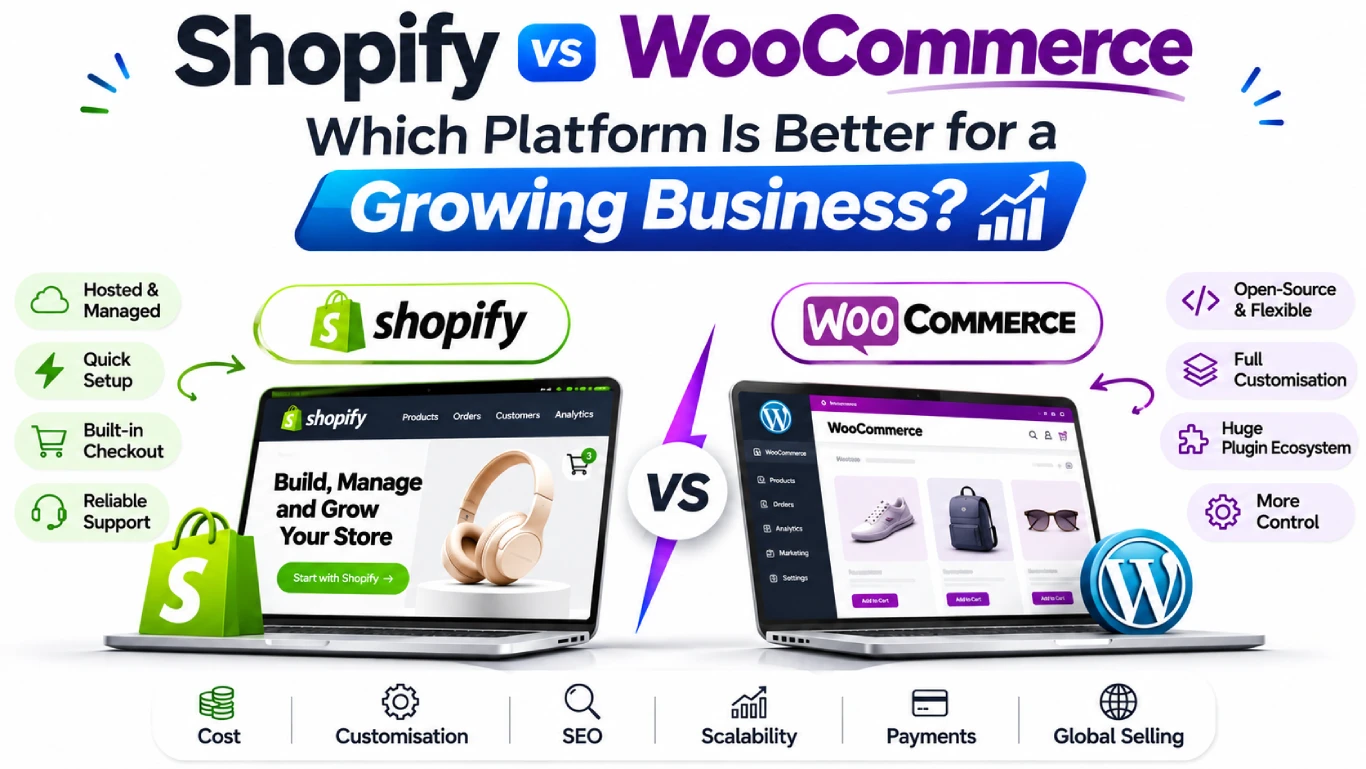
Your ecommerce platform affects payments, maintenance, content and expansion. Shopify and WooCommerce both support growth, but assign responsibility differently.
Shopify is a hosted commerce platform with core infrastructure managed for you. WooCommerce is an open-source ecommerce plugin for WordPress, where you choose the hosting, extensions and technical setup.
The right choice depends on your operating model, customisation needs and available technical support.
The practical difference
Shopify combines hosting, checkout, store administration and core commerce tools in one subscription service. It suits teams that want to focus on selling instead of server maintenance. Themes, apps and APIs provide flexibility, but custom work must fit Shopify’s platform and supported extension points.
WooCommerce adds ecommerce to WordPress. The core plugin is free and open source; the business selects its hosting, payment gateway, theme and extensions. This helps when a store needs unusual workflows or sits alongside a content-rich WordPress site. The business must own updates, backups, security and performance.
Shopify vs WooCommerce: side-by-side comparison
| Business requirement | Shopify | WooCommerce |
|---|---|---|
| Platform model | Hosted commerce service | Open-source WordPress plugin |
| Hosting | Included in subscription | Chosen and paid for separately |
| Maintenance | Infrastructure managed by Shopify; apps and theme still need oversight | Merchant or partner manages hosting, WordPress, plugins, backups and security |
| Customisation | Themes, apps, APIs and supported extension points | Broad code-level access across WordPress and WooCommerce |
| Content publishing | Store-focused CMS features | Full WordPress publishing ecosystem |
| Best fit | Managed operations and a commerce-first workflow | Ownership, deep tailoring or WordPress integration |
When Shopify is the better choice
Shopify is a strong fit when a business wants a managed foundation and does not want to administer servers. A retail team can manage products, orders and promotions from one dashboard, while a developer can still build a custom theme or connect business systems.
It suits direct-to-consumer brands, retailers moving online and companies selling across channels. Hosting is included, but cost depends on the plan, payment setup, apps and custom work. Review Shopify’s current pricing for the merchant’s billing country. For implementation, see WSA’s Shopify services.
The trade-off is platform dependency. Some workflows require apps or custom integrations, and checkout or infrastructure customisation can be limited by plan and platform rules. Check feature availability before committing to a specialised build.
When WooCommerce is the better choice
WooCommerce is worth considering when a company already uses WordPress, depends on editorial content, or needs custom product, pricing or catalogue workflows. Open-source access gives developers direct control over the code.
For implementation, see WSA’s WordPress development services.
But “free plugin” does not mean “free store”. WooCommerce’s own pricing guide lists hosting, extensions and payment processing as separate costs.
It currently estimates hosting at roughly $25–$350 per month for many stores and paid extensions at $29–$299 per year each. Actual costs depend on traffic, infrastructure and selected features; use WooCommerce’s pricing guide as planning context, not a quote.
WooCommerce works best when an internal team or technical partner can maintain the stack. Otherwise, plugin conflicts or delayed updates can become operational risks.
Which platform costs less as the business grows?
Do not compare a Shopify subscription with WooCommerce’s free core plugin and stop there. Build a 12- or 24-month cost model covering implementation, hosting, apps, payment processing, maintenance, security and developer support.
For Shopify, include the plan, app subscriptions, theme work and any applicable third-party transaction fees. Shopify says these fees can apply when payments are processed by an outside provider, with rates depending on plan and location.
For WooCommerce, include hosting capacity, paid extensions, gateway charges and the people maintaining the installation. A low build quote can become expensive if the store needs constant custom work.
SEO, speed and content: neither platform wins automatically
A store does not rank simply because it uses Shopify or WooCommerce. Search performance depends on product and category content, crawlable navigation, internal links, mobile usability, site speed and accurate structured data.
WordPress gives WooCommerce a mature editorial environment and control over templates and metadata. Shopify offers built-in SEO features and managed infrastructure, but themes, apps, collection structure and duplicate URLs still need attention. Large catalogues on either platform need clear rules for filters, pagination and canonicals.
Google recommends connecting category and product pages through crawlable links so search engines can discover important products. Follow its guidance on ecommerce site structure and discoverability. Choose the platform for operational fit, then include technical SEO in the implementation plan.
Selling internationally: check payments first
International selling involves more than showing prices in USD, GBP, EUR or AED. Confirm that the payment provider supports merchants registered in your country, the currencies and methods customers expect, local settlement, refunds and disputes.
Shopify Payments is available only to eligible businesses in its supported countries; merchants outside the list need a third-party provider.
WooPayments has a separate country list. As checked on 5 November 2026, India is not listed for merchant sign-up with either service, so India-based businesses should plan around an eligible alternative gateway and verify charges and settlement terms before choosing a platform.
Eligibility depends on the business’s registered location, not simply where its customers live. Check the latest Shopify Payments country list and WooPayments country list.
For the UAE, UK, Australia, US and Europe, check local payment methods, tax, shipping, language and catalogue rules.
A practical decision framework
Choose Shopify when managed hosting, simpler operations and a commerce-first workflow matter most. Choose WooCommerce when WordPress is central to the business, code-level tailoring matters, or your team is prepared to own maintenance.
Before deciding, document the catalogue, integrations, payment providers, content needs and shipping regions.
Test mobile product discovery, checkout, failed payments, refunds and stock updates. A technical discovery is more useful than a feature checklist alone.
Final recommendation
Shopify often suits retailers seeking managed ecommerce operations. WooCommerce often suits businesses that value WordPress integration, open-source control and tailored functionality and can maintain it. Neither is automatically cheaper or better for SEO.
WSA Digital Agency helps businesses assess ecommerce requirements before development, including payment integrations, technical SEO and conversion-focused improvements. Explore our ecommerce growth services or contact WSA Digital Agency to discuss your platform and target markets.
Frequently asked questions
Is Shopify better than WooCommerce for a small business?
Shopify is often easier for a small team that wants managed hosting. WooCommerce may suit a business already using WordPress or needing custom functionality with technical support.
Is WooCommerce really free?
The core plugin is free and open source. Hosting, domains, premium themes, extensions, payment processing and maintenance can still create ongoing costs.
Which platform is better for SEO?
Neither guarantees better rankings. Both can support strong ecommerce SEO when content, links, crawlability, mobile performance and structured data are implemented well.
Can an India-based business sell overseas with either platform?
Yes, but it needs an eligible payment provider. As of 5 November 2026, India is not listed for Shopify Payments or WooPayments merchant sign-up, so a supported third-party gateway may be required.
Can a store migrate between Shopify and WooCommerce?
Yes. Map products, customers, orders and URLs, test checkout, and set relevant 301 redirects before launch.











Comments (0)
No comments yet. Share your technical feedback or questions below.
Leave a Technical Comment